
Smart Home Technology Integration During Renovation: A 2026 Guide
Plan smart home technology integration during renovation to avoid costly retrofits. Call (833)-365-8755 for expert contractor matching and free quotes.

By Gabriel Nguyen
Learn more about Smart Home Installation or Repair for guides, costs, and what to expect.
Compare Smart Home Installation or Repair Pros Near You

Enter your ZIP code to compare top-rated local professionals and request free quotes.
Imagine walking into your newly renovated home and having the lights adjust to your mood, the thermostat learn your schedule, and the security system arm itself as you leave. That vision is entirely achievable, but only if you plan for smart home technology integration during renovation from the very beginning. Too often, homeowners treat smart devices as an afterthought, adding them after the drywall is up and the paint is dry. That approach leads to exposed wiring, unreliable connections, and a patchwork of gadgets that do not talk to each other. By weaving smart home technology integration during renovation into your project plan, you create a cohesive, future-ready home that is both convenient and valuable.
Why Smart Home Integration Belongs in the Renovation Plan
Renovation is the ideal time to install smart home infrastructure because your walls are open and your electrician is already on site. Running low-voltage cabling, adding deep electrical boxes for smart switches, and installing a dedicated network closet are far easier and cheaper now than they will be later. More importantly, smart home technology integration during renovation ensures that your devices have the power and connectivity they need to function reliably. Without proper planning, you risk devices that drop offline, switches that do not fit, or a Wi-Fi network that cannot handle the load.
Beyond practicality, smart integration adds tangible value to your home. Energy-efficient thermostats, automated lighting, and smart security systems appeal to modern buyers and can lower your utility bills. According to industry data, homes with smart features often sell faster and at higher prices than comparable homes without them. When you factor in the convenience of controlling your home from your phone or voice assistant, the case for planning smart technology during renovation becomes compelling.
However, smart integration is not without its challenges. The rapid pace of technology means that today's cutting-edge device may be obsolete in a few years. That is why the focus should be on infrastructure that adapts to future devices, rather than chasing the latest gadget. By installing a robust network backbone and choosing open protocols, you future-proof your investment. For a deeper dive into the specifics of planning a smart renovation, our practical guide for homeowners covers essential steps and considerations.
Pre-Wiring Essentials: What to Install Before Drywall Goes Up
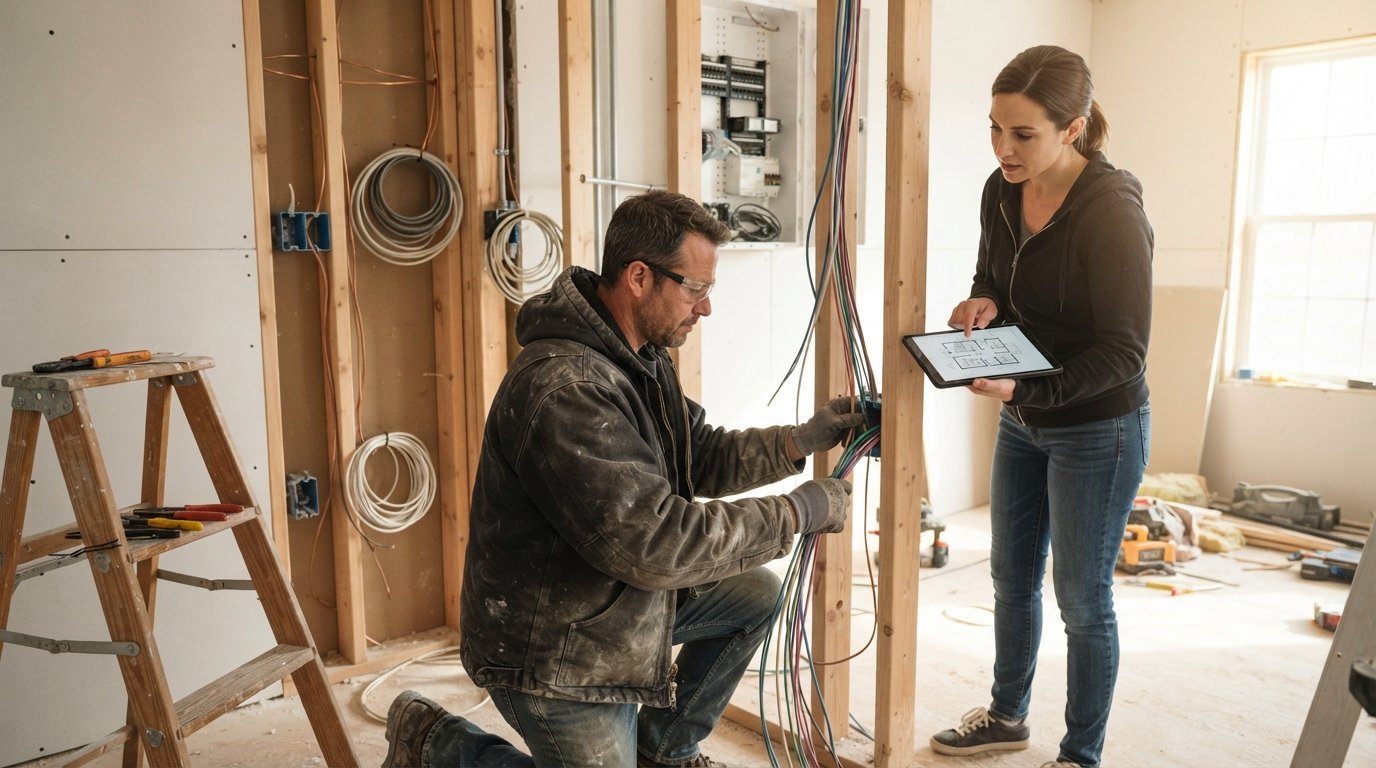
The most critical phase of smart home technology integration during renovation is pre-wiring. This is your one chance to run cables behind walls without cutting into finished surfaces later. Start by mapping out where you want smart devices to live: light switches, thermostats, security cameras, doorbell, and entertainment areas. Then work with your electrician to ensure proper wiring and box depth. Smart switches often require deeper boxes than standard ones, and some smart dimmers need a neutral wire, which older homes may lack.
For lighting, consider running additional wiring for smart switches and dimmers, and possibly a dedicated circuit for LED strips or automated shades. For thermostats, a C-wire is essential for most smart models; if your current thermostat lacks one, your electrician can run a new wire from the HVAC system. Security cameras and doorbells need low-voltage power or PoE (Power over Ethernet) cables, which provide both power and data over a single cable. PoE is highly recommended because it centralizes power and avoids the need for batteries or local outlets.
Here is a checklist of pre-wiring tasks to discuss with your contractor:
- Run Cat6 or Cat6a Ethernet cable to key locations (TVs, home office, access points, cameras).
- Install deep electrical boxes (at least 2.75 inches) for smart switches and dimmers.
- Add a neutral wire to all switch boxes if not already present.
- Pre-wire for motorized blinds and shades with low-voltage cable.
- Install a dedicated 20-amp circuit for a network rack or closet.
These pre-wiring steps are best done before insulation and drywall, so coordinate closely with your general contractor to schedule the electrician at the right time. Remember that smart home technology integration during renovation is a team effort: the earlier you bring in your low-voltage specialist, the smoother the process.
Choosing Hubs and Protocols for Future-Proof Integration
The smart home market is fragmented, with competing protocols like Wi-Fi, Zigbee, Z-Wave, Thread, and Matter. To avoid a tangled mess of incompatible devices, standardize on a few key technologies. Matter, the new interoperability standard backed by major tech companies, is designed to unify devices across brands. Choosing Matter-certified devices where possible is a safe bet for future compatibility. For lighting and sensors, Zigbee and Z-Wave offer low-power mesh networking that is reliable and scalable. Thread, combined with Matter, is gaining traction for battery-powered devices like door sensors and thermostats.
Your hub choice matters as well. A hub acts as the brain of your smart home, translating between protocols and enabling automation. Popular options include SmartThings, Hubitat, and Home Assistant. Home Assistant is particularly favored by tech-savvy homeowners for its local control and vast integration library. When planning smart home technology integration during renovation, decide early whether you want a cloud-dependent ecosystem (like Amazon Alexa or Google Home) or a local-first system that keeps working even when the internet is down. Local control enhances privacy and reliability, which is especially important for security systems.
Consider this comparison of common protocols:
- Wi-Fi: High bandwidth, but can congest your network; best for devices that stream video.
- Zigbee/Z-Wave: Low power, mesh networking; ideal for sensors, locks, and lighting.
- Thread: Low power, IPv6-based; designed for Matter and battery-operated devices.
- Bluetooth: Short range; useful for setup and proximity-based controls.
By selecting a mix of these protocols backed by a robust hub, you create a flexible foundation that can accommodate new devices as they hit the market. Avoid locking yourself into a single brand's proprietary ecosystem, as that limits your options later.
Network and Low-Voltage Cabling Best Practices
A reliable network is the backbone of any smart home. During renovation, treat your home network as a utility, just like plumbing and electrical. Run Ethernet cable to every room where you might have a device that benefits from a wired connection: smart TVs, gaming consoles, desktop computers, and wireless access points. Hardwired access points provide seamless Wi-Fi coverage and reduce congestion on wireless bands. Plan for a central network closet or rack where your modem, router, switches, and hub reside. This closet should have power, ventilation, and space for future expansion.
For low-voltage cabling, keep it separate from electrical lines to avoid interference. Use conduit where possible to allow for future cable upgrades. If you are unsure about specific runs, install conduit with pull strings so you can fish new cables later without opening walls. This is a small upfront cost that pays off handsomely. Also, consider installing a whole-home surge protector to safeguard sensitive electronics, and ensure your network equipment is on a battery backup to maintain connectivity during brief power outages.
Security and privacy should guide your network design. Segment your smart home devices onto a separate VLAN or guest network to isolate them from your personal computers and phones. This prevents a compromised smart device from exposing your sensitive data. Many modern routers support VLANs; if yours does not, a guest network is a simpler alternative. Document your network layout and label cables clearly to simplify troubleshooting and future upgrades. For homeowners seeking professional guidance, resources like Homes.Contractors offer directories of pre-vetted contractors who specialize in low-voltage and smart home installations.
Where Smart Integration Adds Convenience vs. Complexity
Smart home technology shines in areas where automation saves time and enhances comfort. Lighting control is a prime example: smart switches and dimmers let you create scenes, schedule lights to mimic occupancy, and control them remotely. Thermostats that learn your habits can cut energy bills by 10 to 15 percent. Smart locks and video doorbells add convenience and security, allowing you to check on deliveries or let guests in from anywhere. These applications are mature, reliable, and widely supported, making them safe bets for most homeowners.
On the other hand, some smart integrations introduce complexity that may not be worth the hassle. Whole-home voice control can be finicky, especially with multiple users and accents. Automated window shades, while luxurious, require precise wiring and can be expensive to retrofit. Advanced water leak detection systems are valuable but need careful placement and regular maintenance. The key is to prioritize integrations that solve real problems for your household. If you rarely use voice commands, investing in a full voice-control setup may be overkill. Focus on smart home technology integration during renovation that aligns with your daily routines and lifestyle.
Consider the following factors when deciding where to go smart:
- Frequency of use: Lights and thermostats are used daily, so automation offers immediate value.
- Potential for savings: Energy management and leak detection can pay for themselves over time.
- Ease of use: Choose interfaces that all household members can operate without frustration.
- Future adaptability: Favor systems that can be expanded incrementally as needs change.
By being selective, you avoid the trap of over-automating and instead create a home that is genuinely smarter, not just more complicated.
Coordinating Smart Upgrades with Your Electrician and General Contractor
Successful smart home technology integration during renovation hinges on clear communication among your team. Your general contractor (GC) manages the overall schedule, while the electrician handles line-voltage wiring and your low-voltage specialist runs data and communication cables. Bring all parties together early, ideally during the design phase, to review your smart home plan. The GC can then sequence the work so that low-voltage rough-in happens after framing and before insulation. This avoids conflicts and ensures that everyone knows who is responsible for what.
Ask your electrician about their experience with smart devices. Not all electricians are familiar with the nuances of smart switches, such as the need for neutrals or compatibility with LED bulbs. A qualified pro will appreciate a detailed plan and can suggest improvements. Similarly, your low-voltage contractor should be comfortable with network design and structured cabling. If your GC has not worked with smart home technology before, consider hiring a smart home integrator to consult. The extra cost is often offset by avoiding mistakes and rework.
Documentation is crucial. Keep a detailed schematic of all wiring, cable runs, and device locations. Label every cable at both ends and take photos before drywall goes up. This documentation will be invaluable for future maintenance or upgrades. Also, discuss warranty and support with your contractors: who will troubleshoot if a device fails? Having a clear plan reduces stress and ensures your smart home functions as intended.
Budgeting for Smart Home Integration in Your Renovation
Smart home upgrades can range from a few hundred dollars for a starter kit to tens of thousands for a fully automated mansion. The key is to allocate a realistic budget early and prioritize infrastructure over gadgets. Pre-wiring and network cabling typically account for 5 to 10 percent of a renovation budget, depending on the size of the home. Devices themselves can be added gradually, but the behind-the-walls work should be done now. Factor in labor costs for electricians and low-voltage technicians, as well as permits if required.
To keep costs in check, consider a phased approach: install the backbone (network, wiring, hub) during the renovation, then add devices room by room as budget allows. Many smart devices go on sale during holiday weekends, so you can save by purchasing later. Also, check if your utility company offers rebates for smart thermostats or energy-efficient lighting. These incentives can significantly reduce your out-of-pocket expenses.
Remember that smart home technology integration during renovation is an investment in your home's value and your quality of life. By planning carefully and working with experienced professionals, you can create a connected home that serves you well for years to come. For homeowners ready to start their renovation journey, connecting with vetted contractors is the first step. A service like 180 Remodel can match you with qualified pros who understand smart home integration, ensuring your project is done right.
In the end, the smartest renovation is one that balances ambition with practicality. Focus on robust infrastructure, choose open standards, and collaborate closely with your build team. Your future self, enjoying seamless control over your home, will thank you.